



As web development evolves, many businesses are considering alternatives to WordPress. According to W3Techs (January 2025), while WordPress powers 43.2% of all websites, there's a growing shift toward platforms like Webflow that offer visual development capabilities and reduced maintenance needs.
The decision to migrate from WordPress to Webflow requires careful consideration of your website's needs, resources, and goals. This guide provides verified information to help you make an informed decision and execute a successful migration.
In This Guide You'll Learn:
Why businesses are choosing Webflow over WordPress
How to plan and execute your migration effectively
Available tools and solutions for content transfer
Step-by-step migration process with proven approaches
Let's Talk Numbers First
WordPress
Market Position (W3Techs, 2025):
Powers 43.2% of all websites
63.7% content management system market share
Open-source with extensive plugin ecosystem
Costs (Official Pricing):
Hosting: $7-29 (shared) to $30-200 (managed)
Premium themes: $30-100 (one-time)
Essential plugins: $15-200 (depending on needs)
Security: $10-50
Maintenance: Often needed, $50-200
Development: Custom based on needs
Webflow
Market Position (Official Webflow Data):
Powers over 3.5 million websites
Focused on professional and business sites
All-in-one platform with integrated hosting
Costs (Official Webflow Pricing):
Site plans:
Basic: $14/month
CMS: $23/month
Business: $39/month
Enterprise: Custom
E-commerce plans: from $29/month
Templates: $49-149 (optional, one-time)
Development: Project-based
No ongoing plugin costs
The key difference is that Webflow's pricing is more straightforward - what you see is what you get, while WordPress often has hidden costs that add up over time.
But Cost Isn't Everything
Webflow's real value goes way beyond pricing, it offers several other significant advantages:
What advantages offers Webflow in 2025?
1. True Design Freedom
Unlike WordPress's template-based approach, Webflow offers:
Pixel-perfect design control without coding
Real-time visual design interface (what you see is what you get)
Built-in responsive design tools
Advanced animation capabilities without plugins
Custom interactions and micro-interactions
Complete layout freedom without theme restrictions

2. Built-in Functionality
Webflow eliminates the need for multiple plugins by including:
Professional SEO tools (custom meta tags, auto sitemaps)
Native form handling with spam protection
CMS with custom fields and dynamic content
Asset optimization and management
Built-in backup system
SSL certificates included

3. Enterprise-Grade Security
Webflow's security approach includes:
Automatic platform-wide security updates
DDoS protection out of the box
ISO 27001 and SOC 2 Type 1 compliance
Regular penetration testing
99.99% uptime guarantee
Automatic backups and version control
4. Performance Optimization
Webflow sites typically outperform WordPress because of:
Clean, semantic code output
Global CDN with automatic edge caching
Image optimization built-in
Minified CSS and JavaScript
Fast server response times
No database queries slowing things down
5. Development Efficiency
Save time and resources with:
No plugin updates or compatibility issues
Built-in versioning and backup
Team collaboration tools
Staging environments included
Direct database access when needed
Clean export of code if needed
6. Cost Transparency
While initial costs might seem higher, Webflow often proves more cost-effective due to:
No ongoing plugin licenses
Included hosting and CDN
No security plugin needs
Reduced maintenance costs
Fewer developer interventions needed
All-in-one platform pricing
From our experience of migrating sites, these advantages translate into real business benefits: faster load times, better security, and significantly less maintenance overhead. Plus, the ability to create custom designs without touching code is a game-changer for many teams.
Choosing Your Migration Path
When migrating from WordPress to Webflow, you have three distinct approaches to consider. Let's explore each one to help you make the right choice for your project.
1. DIY Migration
Best for: Simple websites, tech-savvy teams, tight budgets
Step-by-step process:
Audit your current WordPress site structure
Export WordPress content and assets
Set up Webflow CMS collections
Import and organize content, you could use tools like PowerImporter for content transfer
Rebuild design using Webflow's visual tools
Test and optimize before launch
Timeline: 2-4 weeks
Estimated cost: $200-500 (WordPress plugins, tools & Webflow subscription)
2. Professional Migration
Ideal for: Complex websites, e-commerce sites, custom functionality
What you get:
Expert CMS migration and structuring
Custom design implementation
Advanced functionality development
Complete SEO preservation
Performance optimization
Training & documentation
No headache :)
Timeline: 4-8 weeks
Estimated cost: $3,000-15,000 (based on complexity)
3. Hybrid Approach
Perfect for: Mid-sized businesses with some technical capability
Split responsibilities:
Your team handles content export and basic setup
Experts manage complex functionality and design
Collaborative approach to quality assurance
Timeline: 3-6 weeks
Estimated cost: $1,500-5,000
Executing the Migration
Phase 1: Content Transfer (1-3 weeks)
Export WordPress content
Set up Webflow CMS collections
Import and organize content
Migrate media files
Phase 2: Design Implementation (2-4 weeks)
Set up design system
Create responsive layouts
Build custom components
Implement animations and interactions
Phase 3: Technical Setup (1 week)
Configure 301 redirects
Set up forms and integrations
Implement analytics
Test functionality
Post-Migration Optimization
Essential Checks:
Performance testing
Cross-browser verification
Mobile responsiveness
SEO validation
Content review
Monitoring Tools:
Google Analytics
Google Search Console
Webflow Analytics
Performance testing tools
Technical Implementation
Integration Solutions
While Webflow doesn't use traditional plugins, you can maintain functionality through:
Built-in Features:
Form builders with custom logic
SEO tools and configurations
Basic e-commerce functionality
Animation and interaction tools
Third-Party Integrations:
Mailchimp for email marketing
Zapier for automation
Memberstack for memberships
Jetboost for dynamic search
Launch Process
Pre-Launch Checklist
Technical Setup
Configure SSL certificate
Set up 301 redirects
Test all forms and integrations
Verify mobile responsiveness
Content Verification
Cross-check all migrated content
Test dynamic elements
Verify media files
Check all internal links
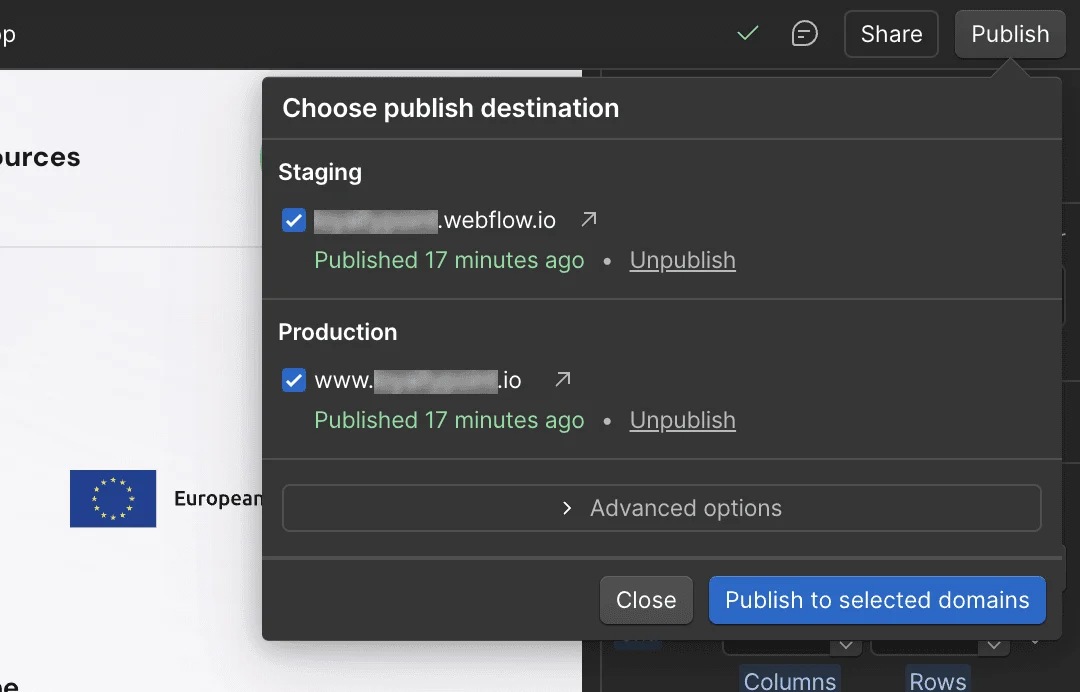
DNS Migration
Key steps:
Access domain provider settings
Update A record for Webflow
Configure CNAME records
Allow 24-48 hours for propagation
Pro Tip: Schedule DNS changes during low-traffic periods (typically weekends or evenings)
Conclusion
Migrating from WordPress to Webflow represents a significant step toward a more modern, maintainable website. While the process requires careful planning and execution, the benefits of improved design flexibility, reduced maintenance, and integrated tools make it a worthwhile investment for many businesses.
Need professional assistance with your migration?
Contact Visux for a detailed assessment and custom quote. We'll help you determine the best approach for your specific needs and ensure a smooth transition to Webflow.
Looking for more insights? Follow us on LinkedIn for regular updates on product design and development.